Claude Design is here. Should you be worried?
Claude design - what it can and cannot do.
Claude design - what it can and cannot do.
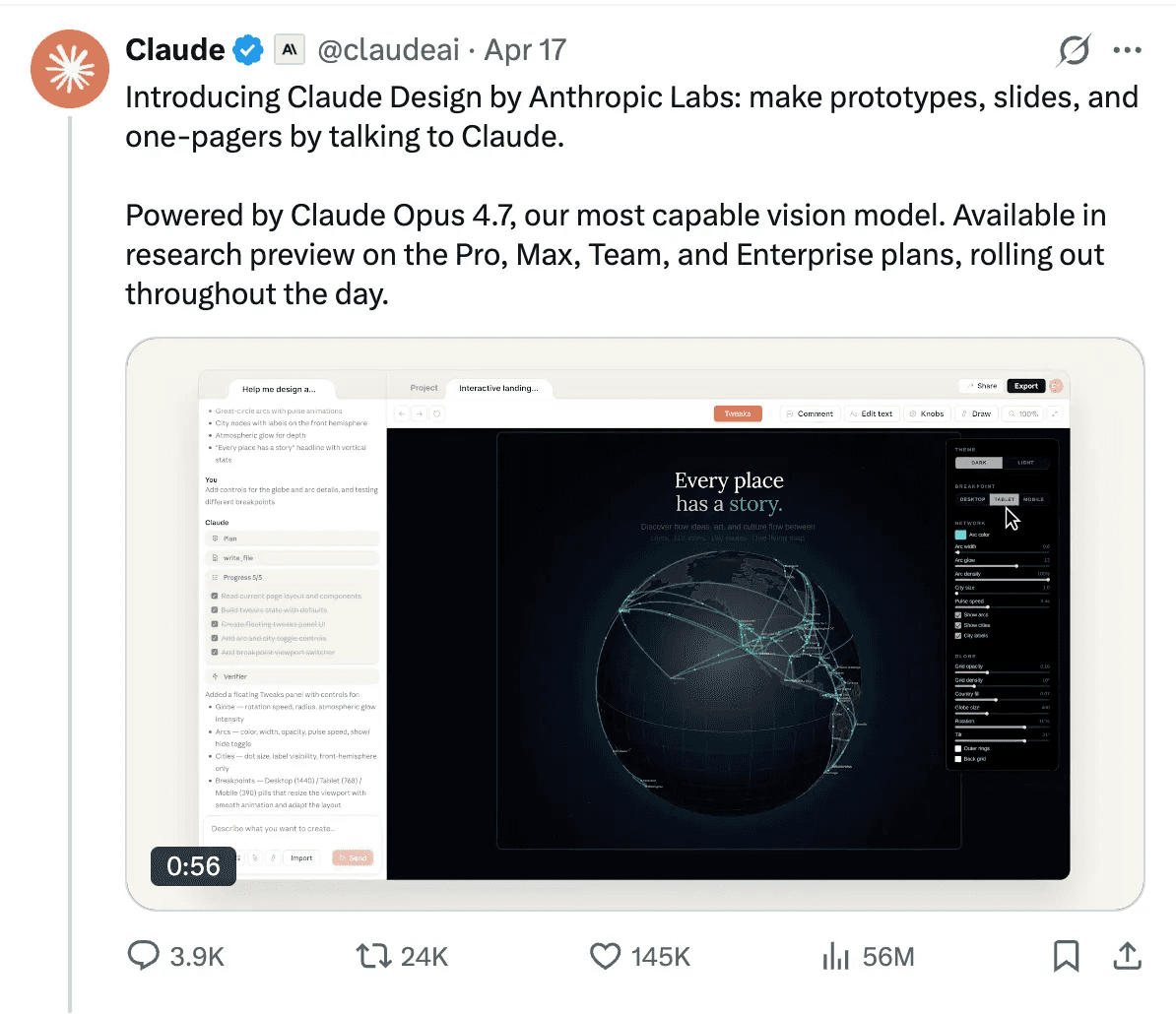
Anthropic Labs launched Claude Design on Friday, a day generally avoided by teams when moving something new to production. But that’s not as important.
The real questions are: What changes for product designers? Will it replace you? Is it a Figma killer?
Not really.
Nowadays, every other tool or feature launch is hyped as the next big thing. But the hype is far from the actual capabilities of these tools.
Claude Design is like Google Stitch but powered by Opus 4.7.
To their credit, Anthropic has been quite modest in their claims of what Claude Design is meant for: “make prototypes, slides, and one-pagers by talking to Claude.”
The comparison everyone jumped to was Figma. Figma’s stock fell 7.28% on the day of the launch, and the headlines did the rest. But the more significant story isn’t prototyping — it’s what happens after.
We have seen the same story before, with Microsoft Design, Google Stitch, Figma Make, and now with Claude Design.
What distinguishes Claude Design from the wave of AI design experiments is the handoff mechanism.
When a design is ready to be built, Claude packages everything into a handoff bundle that can be passed to Claude Code with a single instruction — creating a closed loop from exploration to prototype to production code, all within Anthropic’s ecosystem.
The Hidden Detail
Three days before the launch, Anthropic’s CPO Mike Krieger quietly resigned from Figma’s board. A detail that got buried under the stock price headlines, but signals that this isn’t a casual product experiment.
That said, it’s still a research preview. Claude Design has its own usage tracking that sits alongside, not inside, your existing Claude chat and Claude Code limits. It’s not a finished product, and the rougher edges will show.
AI companies generally run on hype. Every other week, there is a new AI model, a new AI tool. And talks are that this launch is also an attempt by Anthropic to keep up the hype.
Practical Applications
In today's digital age, having a stunning and functional website is crucial for businesses and individuals alike. One of the most effective ways to achieve this is by using Framer templates. These templates offer a wide range of designs and features that can elevate your website's look and feel. The best part? Many of them are available for free! In this blog, we'll explore the benefits of using free Framer templates and how they can help you create a professional website without breaking the bank.
First and foremost, free Framer templates save you time and effort. Instead of starting from scratch, you can leverage pre-designed templates that are tailored to various industries and purposes. This means you can focus more on customizing the content and less on the technical aspects of web design.
Moreover, these templates are created by experienced designers who understand the latest design trends and user experience principles. By using a free Framer template, you can ensure that your website looks modern and user-friendly. Additionally, many free templates come with built-in features such as responsive design, SEO optimization, and cross-browser compatibility, further enhancing your website's performance.
In conclusion, free Framer templates offer an excellent opportunity to create a high-quality website quickly and efficiently. Whether you're a small business owner, a freelancer, or a hobbyist, these templates can provide you with a solid foundation to build your online presence.
The launch of “Sora” by ChatGPT (which was recently rolled back) was also a part of this hype culture.
Should you be worried?
Probably not. But the honest answer depends on what kind of designer you are.
If you spend most of your time doing the real craft: systems thinking, interaction design, user research, defining what to build and why, Claude Design doesn’t touch that.
If your day is mostly spent making decks, formatting one-pagers, and building throwaway prototypes to communicate an idea, some of that is about to get automated. That’s not necessarily bad. That work was always a distraction from the real craft anyway.
The narrative that AI is coming to take creative jobs may simply be too simplistic.
The Good Part
Instead of getting worried by every new launch, you, as a designer, should focus on playing around with the tools you can get your hands on and see how you can use them to make your workflow more efficient.
Claude Code, when combined with .md skill files like frontend-design, web-design-guidelines, design-motion-principles, etc., already generates some decent UIs, and Claude Design does not seem to be very different from that.

Now, keeping up with every new AI update might feel very overwhelming, and it in fact is.
So, instead of reading and bookmarking every other AI article on the internet, the better approach is to build with what you know, pick up tools that reduce friction in your specific workflow, and let the hype settle before treating any launch as a signal to panic or pivot careers.
The designers who will feel this most aren’t the ones doing deep craft work. They’re the ones whose primary value was executing other people’s ideas quickly. If that’s you, it’s worth thinking about where you want to go next — not because Claude Design replaced you, but because the direction has been visible for a while now.
And in the end, to answer the question: are designers cooked?
No. Not really.
AI can be used for good without cooking or killing a tool or an industry.