Reimagining VoxelBox: From Information Overload to Role-Based Clarity
This redesign aimed to reduce friction points observed in VoxelBox v1 and seamlessly integrate VoxelBox into the daily work routine of healthcare professionals

Me (Intern), Senior Designer and 2 PMs
Nov '24 - Apr '25
Concept, UX and Visual Design
Neuroscience & Health-tech
Web
Project Overview
The Challenge
Healthcare professionals such as neurosurgeons, radiologists, and technicians work on tight schedules, leaving little to no time to learn new software.
In the first release of VoxelBox, they struggled with usability and adoption. This highlighted the need for a redesign that made VoxelBox intuitive, time-efficient, and fit seamlessly in their workflows.
Problem Statement
How do we redesign the VoxelBox dashboard that allows users to get the relevant data as quickly as possible?
Results
The filter and stat card changes shipped during my internship. Usage data showed an increase in filter adoption after the stat cards were introduced; radiologists and admins were now reaching filtered views without being prompted.
The IMS roles and permissions work was handed off before I left. I didn't get to see it in production, but the permission matrix and role-based views were validated with the product and engineering teams beforehand.
Increased
Filter adoption across radiologist and admin users
Reduced
Time spent scanning the table to find actionable scans
Shipped
Role-based permission system across 7 distinct user types
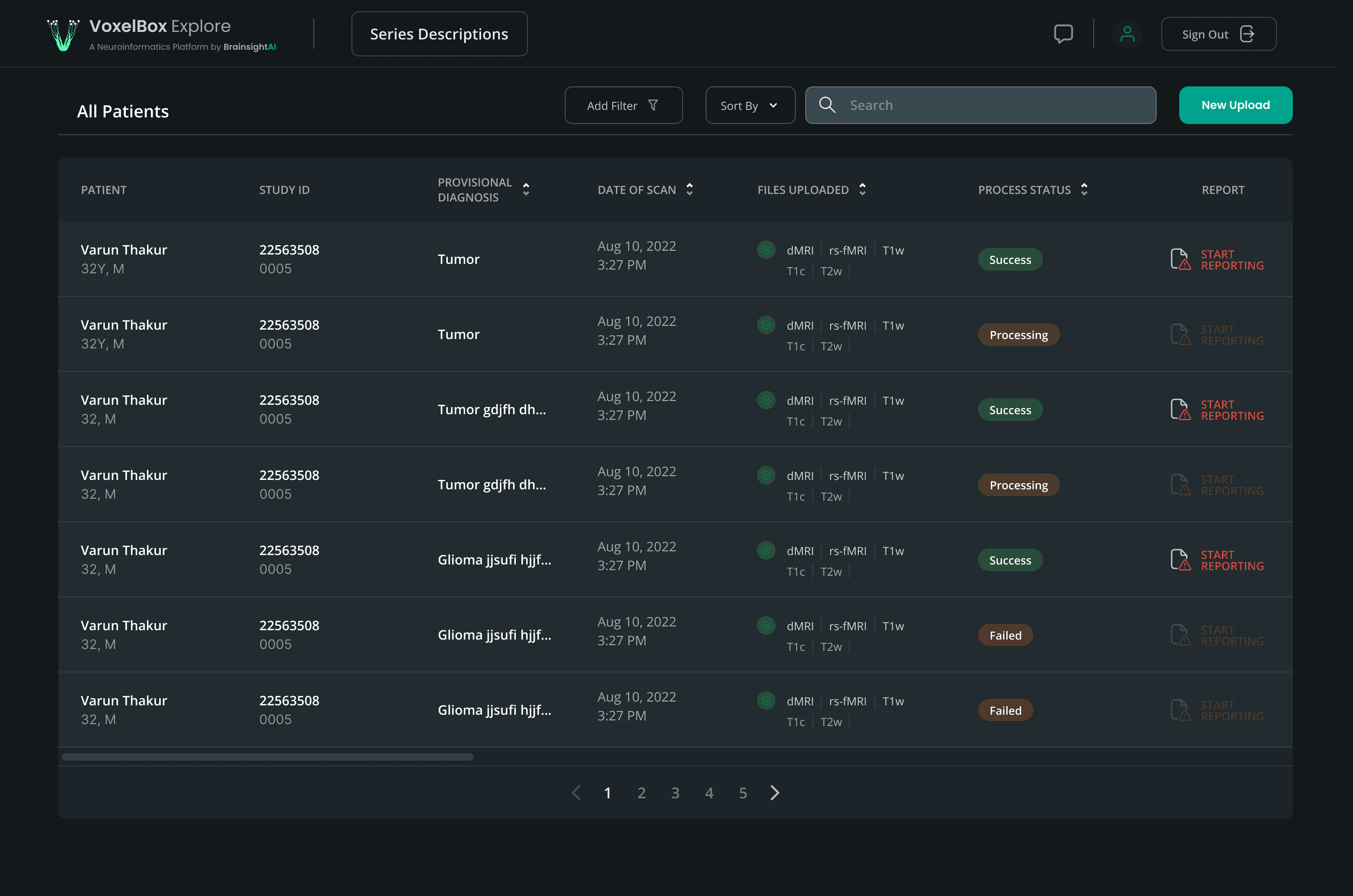
BSAI Dashboard - Before

BSAI Dashboard - After

New Additions
“ The filters existed. The problem wasn't capability, it was discoverability.”
Radiologists already had an "Add Filter" dropdown - the interaction existed, but it required intent to discover.
Rather than redesigning the filter UI itself (which would fragment the existing internal pattern), we introduced stat cards as a second, passive, but direct entry point.
The count is visible without any action. The filter is one click.
Same logic, lower friction.
As VoxelBox expanded to more hospitals, the same dashboard now had to serve seven different users, each with different information needs and levels of access.
Full view of IMS Dashboard - Subjects Tab
BrainSightAI needed more than a clinical tool.
They needed visibility into billing, scan package tracking, and role-specific access across a growing network of partner hospitals.
The same dashboard became the foundation for an Internal Management System, serving seven distinct roles from radiologists to BrainSightAI's own sales team.
Roles & Permissions
With seven distinct roles across clinical and business functions, the permissions editing flow had to be both granular and manageable.
A radiologist and a psychiatrist both need report access but a BSAI sales admin needs invoice and payment visibility that clinical staff should never see.
The challenge was designing a single editing interface that could handle this complexity without overwhelming a hospital admin managing it.

Managing Roles & Permissions
Onboarding a New Member
Adding a new member to a hospital account required assigning a role at the point of entry, not as an afterthought.
This ensured permissions were set correctly from day one rather than requiring a separate editing step later.

Managing Roles & Permissions
Plans & Pricing
BrainSightAI's two billing models - Pay Per Use and Subscription, needed to be presented clearly enough for a hospital admin to make the right choice without sales intervention.
The plans screen surfaces the key differentiators without overwhelming the user with pricing details.
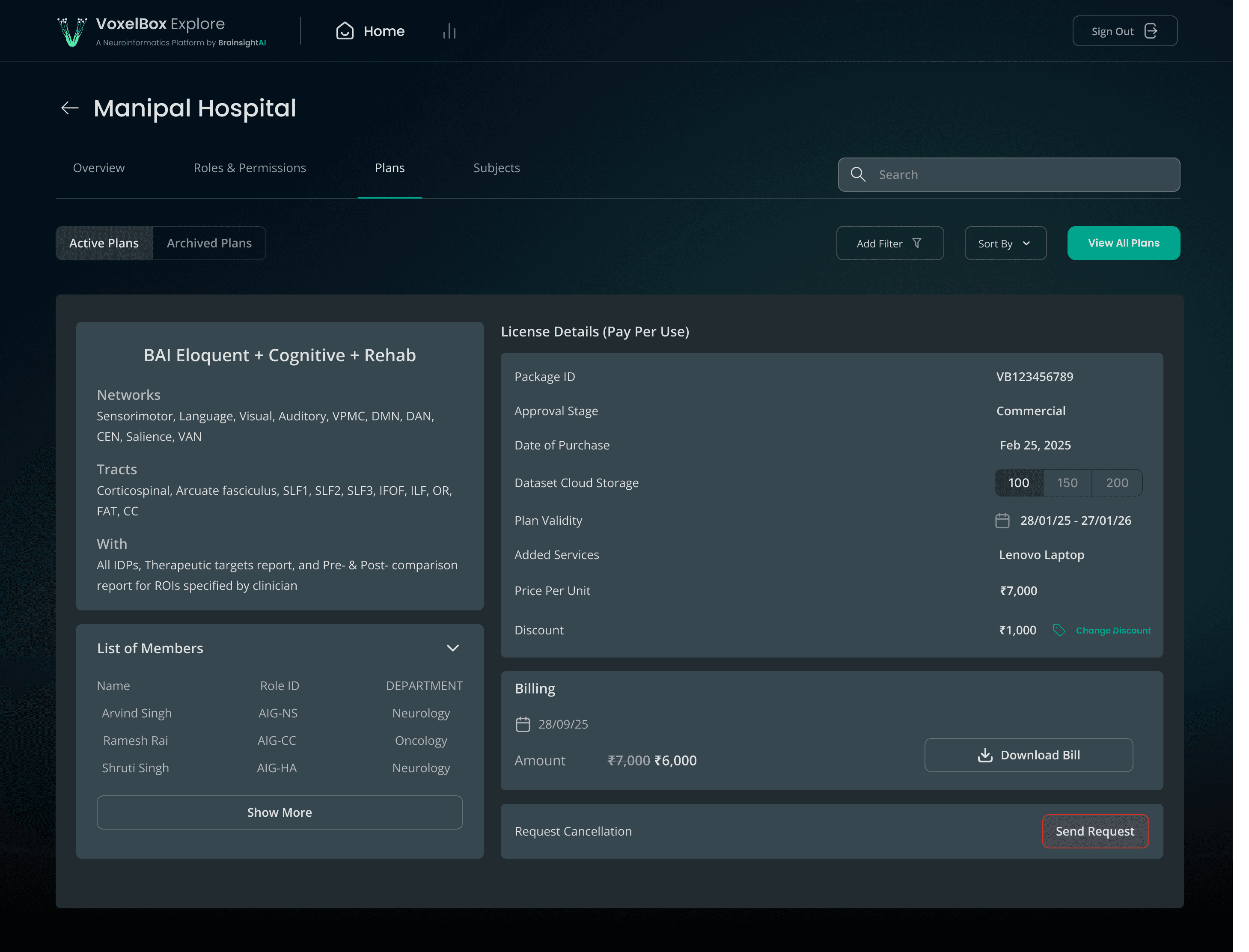
Plans and Pricing Dashboard
What happened with the design…last I checked

The roles and permissions work was designed and handed off before my internship ended. I didn't get to see it shipped or used in production, so I can't speak to real-world adoption for this part the way I can for the filter/stat card work (which had usage data behind it).
What I'd Do Differently
The filter and stat card work (Part 1) was grounded in real usage data and direct feedback from radiologists and admins - that's what made it a confident decision.
The roles and permissions work (Part 2), by contrast, was based on stakeholder requirements and my understanding of each role's needs, but I never got to validate it with the actual users in each role (a neurosurgeon's needs vs. a psychiatrist's, for instance, may differ more than the spec assumed).
If I revisited this, I'd want to run lightweight usability sessions with at least one person per role before finalizing the permission matrix, even a quick walkthrough would surface mismatches between assumed and actual needs.
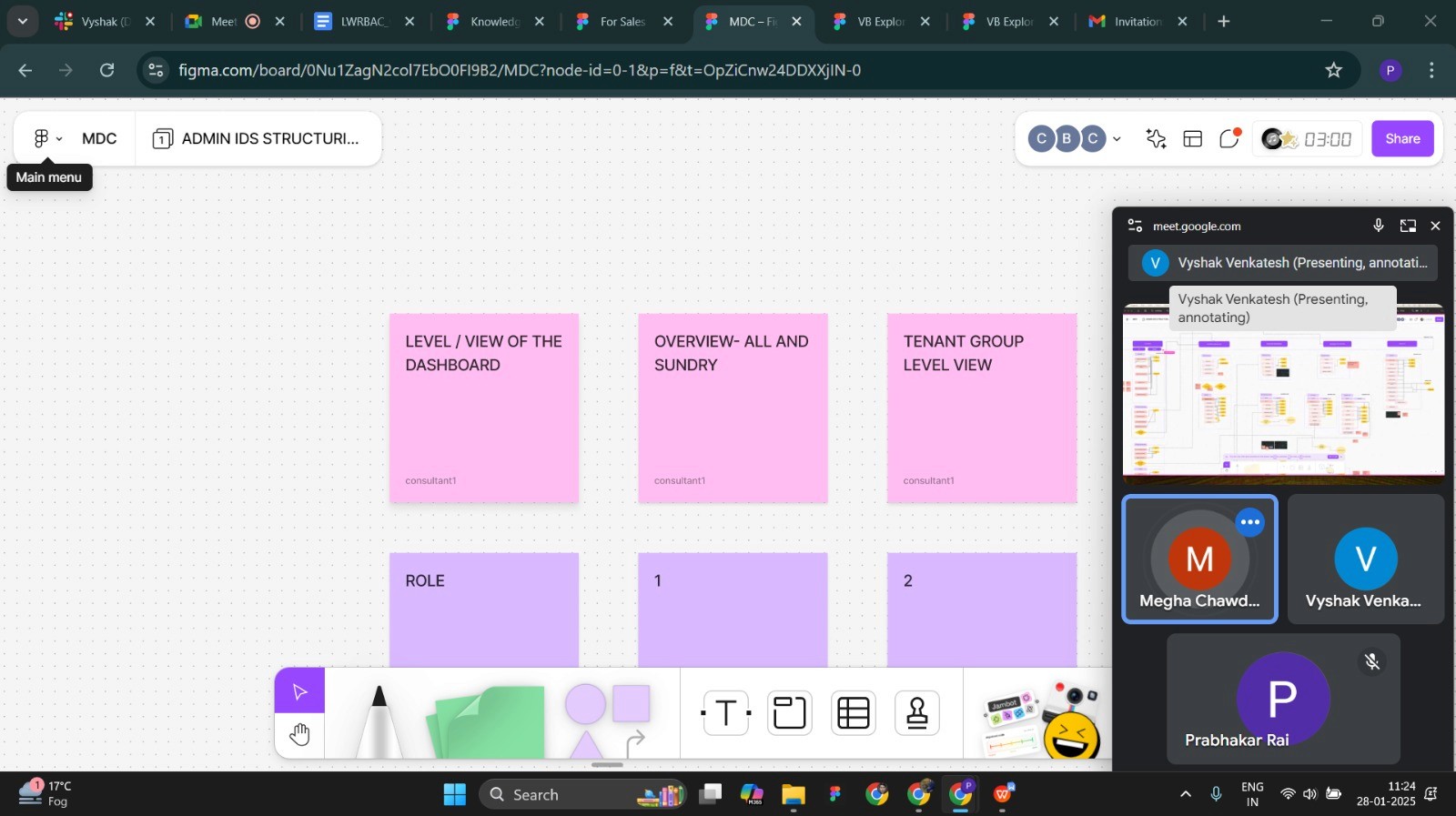
Brainstorming
One of the many discussions I had with the senior designer and PM about IMS during the term of my internship.
It was a great learning experience.